GUDecks FAQ
This page answers the questions we hear most often from Gods Unchained players using GUDecks. Most of them are about the player statistics pages: how to get your in-game username to appear, how to find your user ID, and why stats sometimes take a little while to update. If your question is not covered here, reach out through the contact page or the community Discord linked in the footer, and we will be glad to help.
Player Stats
How do I get my username to show up on the Player Stats page?- Change your username in game to another name, play a few ranked games, change it back, then play a few more ranked games. - Your username must show up in the top right corner of the Immutable launcher for this to work. If it doesn't, you must repeat this step. - After it shows up in the Gods Unchained launcher, wait a couple of hours for GUDecks to cache your username.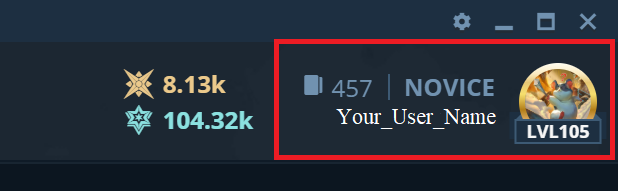 What can I do while I am waiting for my username to appear?- Search for the username of your most recent opponent and find your username that way OR- Go to https://apollo.gg/ and log in with your Gods Unchained credentials. The first number listed there will be your user id number.- Put your user id in the following url: https://gudecks.com/meta/player-stats?userId=YOUR_USER_ID_HERE (Don't include the # sign in your user id)
Featured Streamers
How do I become a featured streamer?- Featured streamers contribute to the GUDecks community by writing articles for our homepage, providing feedback for our site, being active in our discord, or using GUDecks during livestreams.- Reach out to a team member on our discord with your ideas on how GUDecks can better serve the GU community.What are the perks for featured streamers?- Featured streamers will appear at the top of the Twitch streamers section on the GUDecks homepage.- A direct link to your player stats page will appear next to your Twitch username so GUDecks users can see what decks you're playing.